


For a long time, I never found myself interested in high performance controllers. Despite how much I played all types of games on consoles, I did not play enough intense multiplayer ones to justify buying them. After all, why would I need a controller that had features I would never use, at an extremely intimidating price. However, lately, there have been exceptions that managed to impress me for one reason or another.
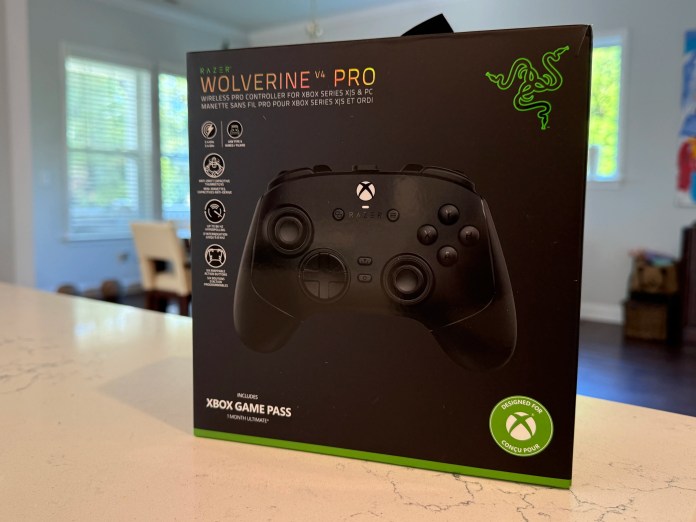
Most recently, I was given the opportunity to review the Razer Wolverine V4 Pro controller, designed for Xbox platforms and PCs alike. While I was initially skeptical of its features and quality, it has quickly become my favorite third-party controller to date, thanks to how well its features work with games of all genres. Whether you play competitive or single-player focused experiences, you will find a use for the Wolverine V4 Pro and everything it has to offer.
The Features
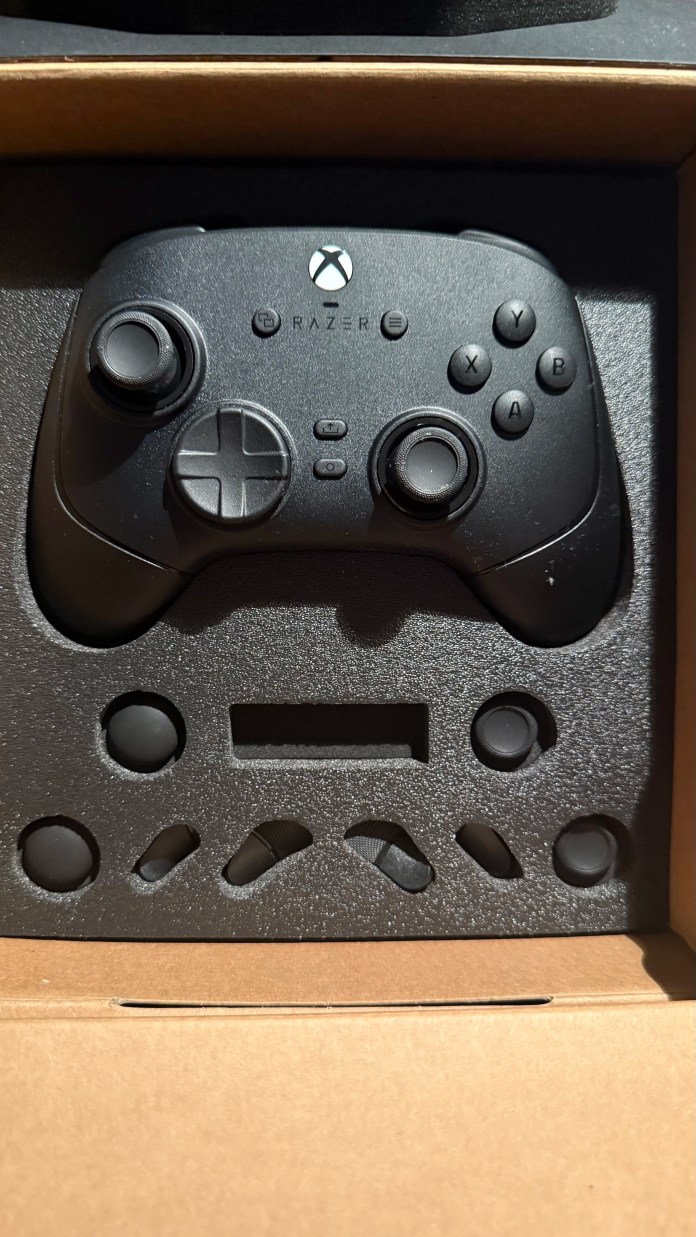
So, what exactly makes the Wolverine V4 Pro so special compared to other controllers on the market? Well, for starters, there are the extra claw grip buttons next to the bumpers, as well as the mouse-click back buttons. The latter can be easily detached and re-attached thanks to the built-in magnets. Both sets of buttons, though, can be remapped with ease on the Razer app that’s available on both Xbox and PC. They feel great to use, both in their placement and in the actual feeling of pressing the buttons themselves.
In addition, the thumbsticks are designed in such a way so that they do not suffer from stick drift or any sort of drifts. Much like the back buttons, these can also be replaced with either a concave cap or convex cap, if you want to further tune them to fit your specific playstyle. On PC in particular, it has up to 8000 Hz polling, so that any button you press is registered nearly instantly. While these were much appreciated, they weren’t the features on the Wolverine V4 Pro that I ended up using the most.
Beyond the customization options and long battery life, I adore the triggers on the controller. The fact that you can make the triggers behave like a mouse click or set it to more traditional long pull setting with the push of a button is something unlike anything I have experienced on a controller before. It is a feature that I ended up using a lot with all types of games, alongside a majority of the other aforementioned features included in the controller.
Still, while these features are much appreciated for competitive gamers, how useful are they for the more casual gamer? Is it even worth paying the extra cost, just for some back buttons and unique triggers? As someone who has access to a wide variety of different games on my Xbox Series S, I tested it with all sorts of titles to see how it performs. I am pleased to say that, after my tests, the Wolverine V4 Pro is extremely useful regardless of what types of games you will end up playing with it.
Why They Matter
I tested the Wolverine V4 Pro with Halo: The Master Chief Collection, Gears of War: E-Day, Split Second, Killer Instinct, and Star Wars: The Force Unleashed, and I was pleasantly surprised with how it handled all of them. To start with, there is its obvious utility in regards to most shooters. Perhaps unsurprisingly, Halo and Gears of War feel fantastic on the Wolverine V4. I ended up rebinding the claw grip bumpers to melee and crouch with Halo, and the top back buttons to the zoom-in and grenade inputs. I usually don’t rebind controls on these sorts of controllers, but doing so here worked out far better than I expected.
Even as someone who mostly plays shooters with controllers, the mouse trigger options work fantastically here and feel a lot more natural than I anticipated. Playing matches across some of the most beloved Halo maps in the series felt great, and above all, the controller’s tactility made it so that I was having fun even when I was trailing behind in points compared to my teammates. The same applied to Gears, though I did notice a little bit of stick drift with both Halo and it. That said, considering how much success I found with some of my other tested games, it is possible that these problems can be attributed more to these specific games and Xbox Series S as a whole, rather than the controller.

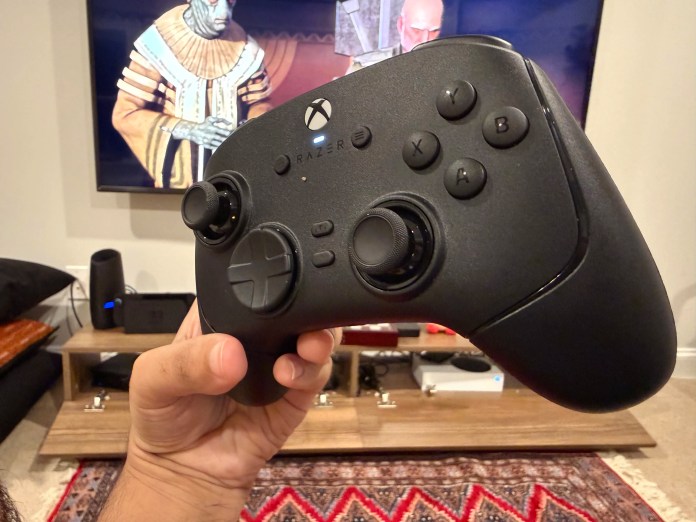
The next major test was with racing games; specifically, I played the underrated Xbox 360 game Split Second. When using the more traditional trigger pull style, the controller gave me far more ease of use whether I was accelerating in a straight line or drifting around a corner. I can’t stress enough how comfortable the Wolverine V4 Pro is to hold. I use a lot of controllers on a near-daily basis, and often, my fingers get very sore very quickly, regardless of what game I’m playing. No matter what game I tried with the Wolverine, though, I never once felt that soreness. The smoothness of the controller paired perfectly with the smooth experience of playing Split Second, which oddly enough, did not suffer from the same drifting issues as Halo and Gears.
The biggest test of the aforementioned comfort came in the form of Force Unleashed and Killer Instinct. These are games where you have to press the face buttons over and over again, sometimes really quickly for the sake of a quick-time event or a combo. Thankfully, rapid presses feel great thanks to the satisfying click of the face buttons, as well as how little effort it takes to press it compared to the average controller. The average controller requires you to fully sink your finger into the button, which is harder to do when you have to press repeatedly. Here, the quick click means that button presses are just as instantaneous as the registered input. Once again, I never found myself getting exhausted or in need of a break, even when playing games that usually took up all of my energy.

Overall, the Wolverine V4 Pro consistently impressed me, regardless of what game I tried with it. While this is a controller primarily designed for eSports use, it works perfectly with all types of games across several different genres.
Is It Worth It?

These days, I am always hesitant when looking at third-party controllers. Even when I am willing to put aside my aforementioned lack of interest, the overwhelming price of controllers such as the Wolverine V4 Pro is enough to quell any desire to purchase one. This controller in particular costs a whopping $199.99. Yes, eSports players will absolutely find great use out of its numerous unique features, but should the average gamer who prefers to play single-player titles even care about the Wolverine V4 Pro? To put it simply, absolutely.
As someone who was initially skeptical about the controller, the Wolverine V4 Pro blew me away. No matter what game I played, I always found myself using every single one of its extra buttons and features. The adjustable hyper triggers feel great when used with most shooters, while the default setting makes playing racing games a breeze. The back buttons and claw grip bumpers are easy to remap and use, meaning they can be easily modified to complement your playstyle. Plus, the responsiveness of the face buttons makes it so that repeated button presses never get tiresome. This is not even taking into consideration the customizable thumbsticks and faceplate, or the long battery life.
If you prefer Xbox-styled controllers for all of your eSports needs, then the Wolverine V4 Pro is a no-brainer of a purchase. However, I am thrilled to be able to say that, even if you are not a huge fan of competitive games, it still serves as one of the best third-party controllers on the market no matter what you end up using it for. If you happen to have the money for it, you should absolutely pick it up for itself. As for me, the Wolverine V4 Pro has cemented itself as my permanent default controller for my Xbox.
Disclaimer: Razer provided a Wolverine V4 Pro for review purposes.

